Содержание
Существует интересная утилита htpdate, позволяющая синхронизировать время на устройстве под управлением любого популярного дистрибутива Linux необычным способом, а именно по заголовку HTTP ответа от сервера. Да, я знаю, есть timedatectl, но есть некоторые ситуации, в которых он не будет работать. Например, если на сервере сетевым фильтром заткнуты все порты, кроме 80 и 443.
Установка htpdate
Htpdate имеется в репозиториях всех популярных дистрибутивов Linux и устанавливается оттуда:
Debian GNU/Linux, Ubuntu, Linux Mint
sudo apt install htpdateArch Linux
sudo pacman -S htpdateИспользование
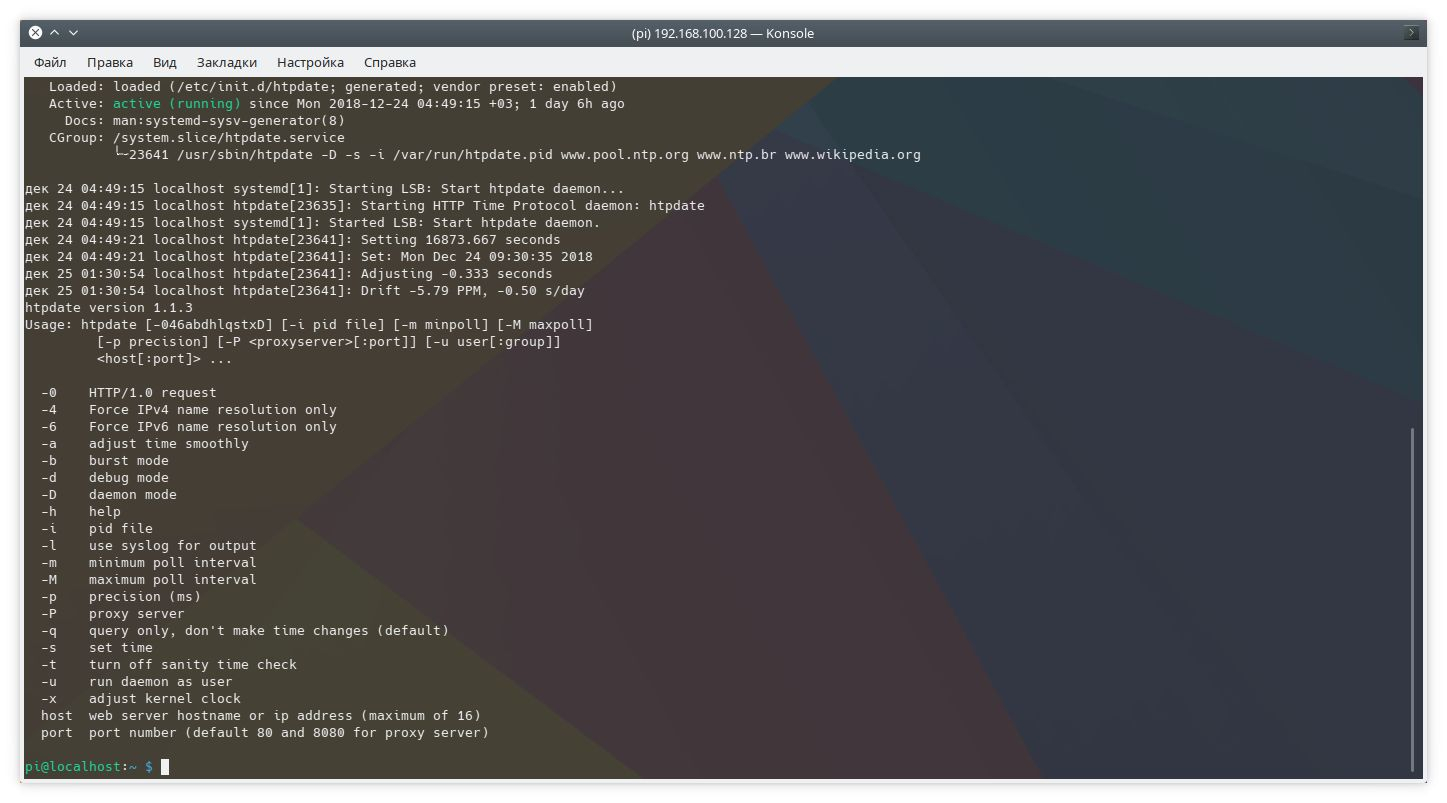
После установки сервис htpdate запускается автоматически. Управлять им можно так же, как остальными сервисами в системе. Например, посмотреть состояние можно командой:
sudo systemctl status htpdate.serviceЕсть возможность работать как напрямую, так и через прокси сервер. Можно задавать произвольные адреса сайтов. Всё подробно описано в справке.
Встроенная помощь по использованию
Чтобы ознакомиться с инструкцией по использованию, которая поставляется вместе с приложением, выполняем команду:
man htpdateВот ее вывод:
HTPDATE(8)                                                                                                                                      System Manager's Manual                                                                                                                                     HTPDATE(8)

NAME
htpdate - Time synchronization (daemon)

SYNOPSIS
htpdate [-046abdhlqstxD] [-i pid file] [-m minpoll] [-M maxpoll] [-p precision] [-P <proxyserver>[:port]] [-u user[:group]] <host[:port]> ...

DESCRIPTION
The HTTP Time Protocol (HTP) is used to synchronize a computer's time with web servers as reference time source. Htp will synchronize your computer's time to Greenwich Mean Time (GMT) via HTTP headers from web servers. The htpdate package includes a program for retrieving the date and time from remote
machines via a network. Htpdate works through proxy servers. Accuracy of htpdate will be usually within 0.5 seconds (better with multiple servers). If this is not good enough for you, try the ntpd package.

OPTIONS
-0 HTTP/1.0 request (default is HTTP/1.1).

-4 Force IPv4 name resolution only. Default behaviour is to try IPv6 first and fall back to IPv4.

-6 Force IPv6 name resolution only.

-a Adjust time smoothly (default in daemon mode).

-b Burst mode uses multiple polls for each web server to enhance accuracy.

-d Turn debug on. Shows the "raw" timestamp, round trip time, time delta and and basic statistics of web server responses. Useful to determining the quality of a specific web server as time source.

-h Show help.

-i Set the pid file (default /var/run/htpdate.pid).

-l Use syslog for output (levels LOG_WARNING and LOG_INFO). Convenient if you use htpdate from cron.

-m -M These options specify the minimum (-m) and maximum (-M) polling intervals for HTP requests, in seconds. The default range is between 30 minutes and 32 hours. Htpdate calculates the optimal polling frequency between minimum and maximum values. Only applicable when running in daemon mode.

-p Precision (in milliseconds) specifies the operating accuracy of htpdate. Internally htpdate uses a different algorithm to detect a time offset, when precision is specified. Precision only has effect in daemon mode. Use with caution.

-q Query web server and display time, but do not change time (default in interactive mode).

-s Set time immediate. In daemon mode -s only applies the first poll.

-t Turn off sanity time check. By default a time offset larger than a year, compared to current localtime, is rejected. With -t set, any time stamp will be accepted.

-u Set the user and group that the server normally runs at (default is root).

-x Let htpdate compensate for the systematisch clock drift.

-D Run as daemon (requires root privileges).

-P Proxy server hostname or ip-address.

host Web server hostname or ip-address. Up to 16 hosts may be specified, but in general 3 to 5 hosts should be enough for a redundant and accurate setup.

port Portnumber (default 80 and 8080 for proxy server)

EXAMPLES
Request time from web server (don't update local clock):
htpdate -q www.linux.org www.freebsd.org

Verbose output (don't update local clock):
htpdate -d -q www.linux.org www.freebsd.org

Adjust time smoothly and log output to syslog (eg. cron):
htpdate -a -l www.linux.org www.freebsd.org

HTTP/1.0 request in IPv6 literal format (RFC 2732):
htpdate -0 [2001:DB8:1af6::123]:80

Run htpdate as daemon:
htpdate -D www.linux.org www.freebsd.org

Daemon mode for the security minded:
htpdate -D -u nobody:nogroup www.linux.org www.freebsd.org

AUTHOR
Eddy Vervest <eddy@vervest.org>, http://www.vervest.org/htp

SEE ALSO
rdate, timed, ntpd, adjtimex, ntp_adjtime,
HTP implementation by Roy Keene (http://www.rkeene.org/oss/htp/)

htpdate version 1.1.3 HTPDATE(8)